TaxDome Workflow Automation
Browser automation connecting a four-agent tax operation to TaxDome — reads client pipelines, stages, notes, and IRS notices, and writes updates back only after a person approves the change on Telegram.
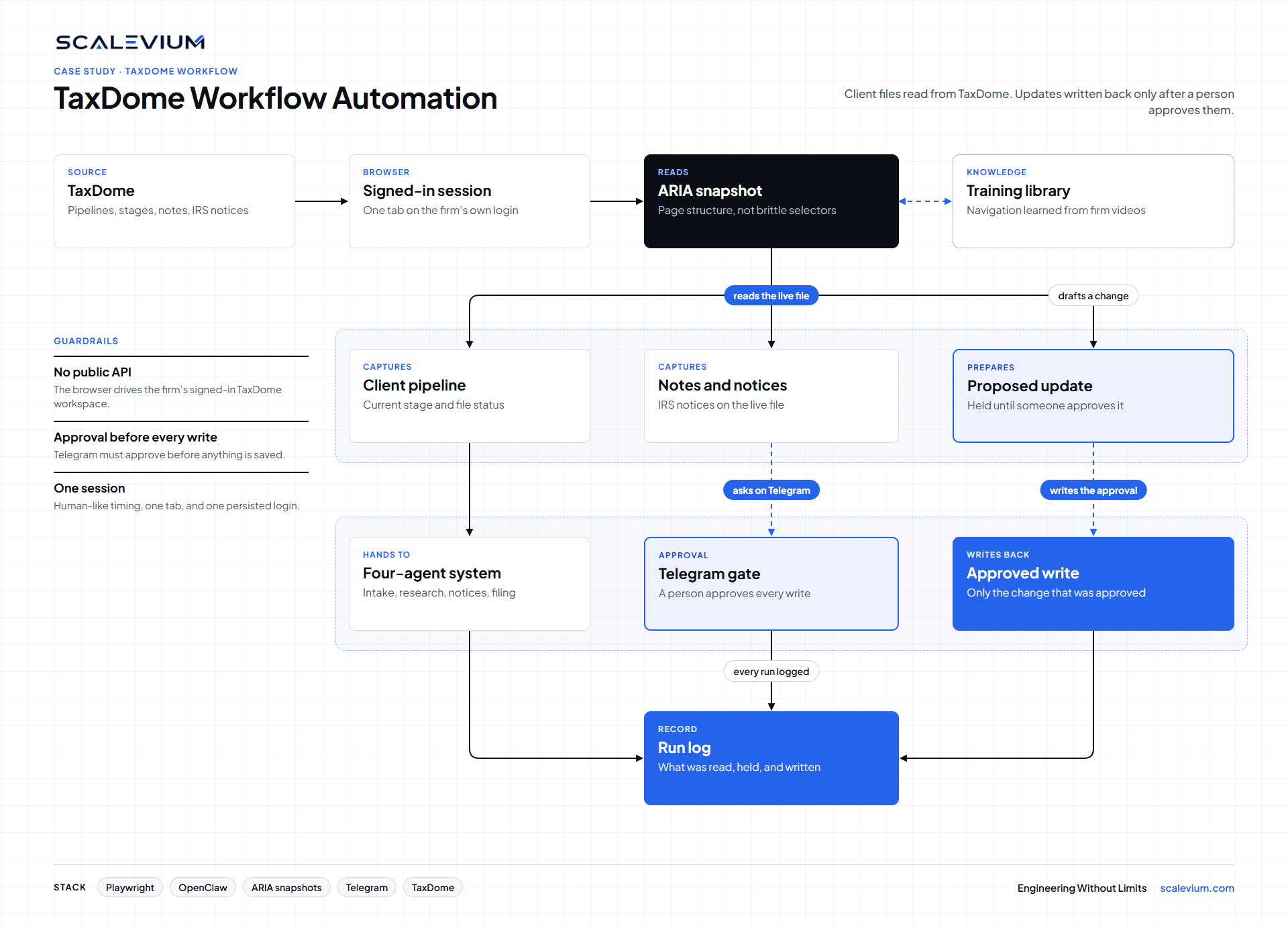
Browser automation connecting a four-agent tax operation to TaxDome — reads client pipelines, stages, notes, and IRS notices, and writes updates back only after a person approves the change on Telegram.
- 01
Bridge Without a Public API
TaxDome does not offer a public API for this workflow. The bridge drives the firm’s own signed-in workspace in the browser, reading the page through ARIA snapshots instead of CSS selectors that break when the layout changes.
- 02
Pipeline, Notes, and IRS Notices
The agent reads client pipelines, current stages, internal notes, and IRS notices, then hands that context to the firm’s existing four-agent system so the work starts from the live file, not a retyped summary.
- 03
Approval Before Every Write
Nothing is written back to TaxDome on its own. Each update waits for an explicit approval in Telegram, then the same browser session applies only the change that was approved.
- 04
Navigation Learned From Training
Sixty to seventy training videos were turned into a structured knowledge base of how the firm moves through TaxDome, so the agent follows those paths instead of searching the interface from scratch.
- 05
One Signed-In Session
Human-like timing, a persisted login, and single-tab operation keep the bridge inside one workspace. The session stays with the firm’s account rather than opening parallel browsers.